Odisha News, Odisha Latest news, Odisha Daily - OrissaPOST
  • Home
  • Trending
  • State
  • Metro
  • National
  • International
  • Business
  • Feature
  • Entertainment
  • Sports
  • More..
    • Odisha Special
    • Editorial
    • Opinion
    • Careers
    • Sci-Tech
    • Timeout
    • Horoscope
    • Today’s Pic
  • Video
  • Epaper
  • News in Odia
  • Home
  • Trending
  • State
  • Metro
  • National
  • International
  • Business
  • Feature
  • Entertainment
  • Sports
  • More..
    • Odisha Special
    • Editorial
    • Opinion
    • Careers
    • Sci-Tech
    • Timeout
    • Horoscope
    • Today’s Pic
  • Video
  • Epaper
  • News in Odia
No Result
View All Result
OrissaPOST - Odisha Latest news, English Daily -
No Result
View All Result

Here are 5 Google tips to brush up on G Suite skills at home

Indo-Asian News Service
Updated: June 14th, 2020, 13:28 IST
in Sci-Tech
0
Share on FacebookShare on TwitterShare on WhatsAppShare on Linkedin

San Francisco: As more people work from home on G Suites content collaboration tools like Google Docs, Sheets and Slides, the company has detailed 5 tips to help millions take their productivity game to a new level.

Now users can have a dialogue in document with comments and suggestions.

Also Read

Artemis II

iPhones in space? NASA’s Artemis II mission just made It happen

1 day ago

NASA launches historic Artemis II crewed Moon mission

1 day ago

“Use comments to have a discussion around your content. Highlight the section you want to discuss, right click and select Comment, then type your comment into the box,” said Google.

You can tag a teammate by typing the “@” sign and their email address, and check the box to assign them an action item (they’ll receive an email notification).

One can also use suggestion mode to propose edits without replacing the original text, informed Birkan Icacan, Product Manager, Google Suite.

Sometimes it’s helpful to look back at an older version of a Doc, Sheet or Slide to see how the contents have evolved or to restore an earlier version.

In the file, click the gray text at the top saying “Last edit was on [date].” You’ll see a list of versions organized by date to the right of your file; click on a version to view associated changes.

“If you’re working in Sheets, use edit history to track edits for a specific cell,” said Icacan.

The G Suite users can have a live discussion around the project, so they can collectively discuss and edit a file in real time.

“As G Suite’s tools are tightly integrated, it’s easy to present your Docs, Sheets and Slides in Google Meet,” Icacan added.

The users can create, view and edit Docs, Sheets and Slides even when they are offline.

First, to enable Offline mode in Google Drive, open Settings (click the gear icon in the top right of your screen in Drive) and check the box next to Offline. Then right click on what you want to work on offline and select “Available offline.”

With Office editing, people can edit, comment and collaborate on Microsoft Office files, even if they don’t have Office installed.

In Google Drive, double-click your Office file, which will open a preview of the file.

At the top, click Open in Google Docs, Sheets or Slides.

“Then you can edit, share and collaborate as you usually would in a G Suite file and your changes will be saved to the original Office file,” said Google.


 

Tags: G Suite skillsGoogle tipsHOME
ShareTweetSendShare
Suggest A Correction

Enter your email to get our daily news in your inbox.


OrissaPOST epaper Sunday POST OrissaPOST epaper

Click Here: Plastic Free Odisha

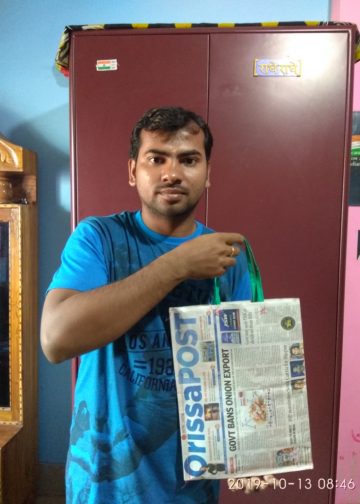
#MyPaperBagChallenge

Narendra Kumar

December 12, 2019
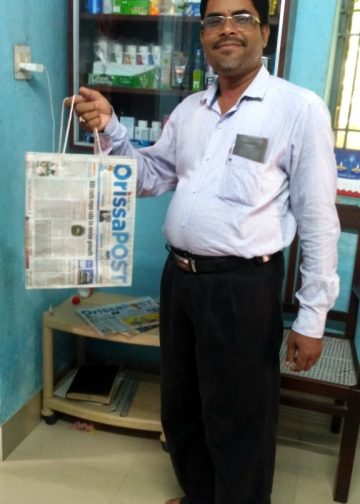
#MyPaperBagChallenge

Sipra Mishra

December 12, 2019
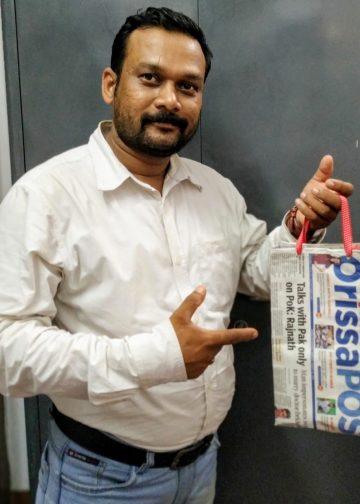
#MyPaperBagChallenge

Ramakanta Sahoo

December 12, 2019
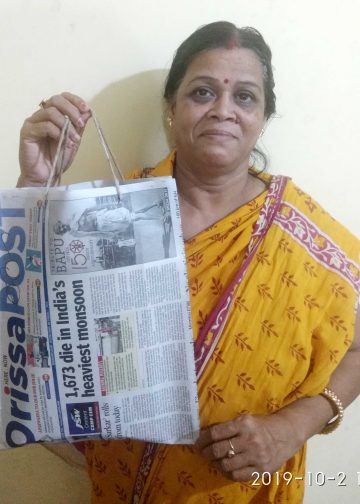
#MyPaperBagChallenge

Subhajyoti Mohanty

December 12, 2019
#MyPaperBagChallenge

Anasuya Sahoo

December 12, 2019
#MyPaperBagChallenge

Tabish Maaz

December 12, 2019
#MyPaperBagChallenge

Sibarama Khotei

December 12, 2019
#MyPaperBagChallenge

Spinoj Pattnaik

December 12, 2019
#MyPaperBagChallenge

Saishree Satyarupa

December 12, 2019
#MyPaperBagChallenge

Matrumangal Jena

December 12, 2019
#MyPaperBagChallenge

Shreyanshu Bal

December 12, 2019
#MyPaperBagChallenge

Ipsita

December 12, 2019
#MyPaperBagChallenge

Faiza Firdous

December 12, 2019
#MyPaperBagChallenge

Debasis Mohanty

December 12, 2019
#MyPaperBagChallenge

Geetanjali Patro

December 12, 2019
#MyPaperBagChallenge

Aman Kumar Barisal

December 12, 2019
#MyPaperBagChallenge

Pragyan Priyambada

December 12, 2019
#MyPaperBagChallenge

Mrutyunjaya Behera

December 12, 2019
#MyPaperBagChallenge

Ramakanta Sahoo

December 12, 2019
#MyPaperBagChallenge

Priyasha Pradhan

December 12, 2019
#MyPaperBagChallenge

Sarmistha Nayak

December 12, 2019
#MyPaperBagChallenge

Arya Ayushman

December 12, 2019
#MyPaperBagChallenge

Parbati Mohanty

December 12, 2019
#MyPaperBagChallenge

Keshab Chandra Rout

December 12, 2019
#MyPaperBagChallenge

Rajashree Manasa Mohanty

December 12, 2019
#MyPaperBagChallenge

Archana Parida

December 12, 2019
#MyPaperBagChallenge

Sarfraz Ahmad

December 12, 2019
#MyPaperBagChallenge

Tapaswini Mallick

December 12, 2019
#MyPaperBagChallenge

Jyotshna Mayee Pattnaik

December 12, 2019
#MyPaperBagChallenge

Sitakanta Mohanty

December 12, 2019

Archives

Editorial

Trump Trapped

Donald Trump
April 1, 2026

It is the fifth week running since US President Donald Trump and Israeli Prime Minister Benjamin Netanyahu launched the war...

Read moreDetails

Not Forgetting Myanmar

March 31, 2026

While a big war is being waged in the Middle East, global attention has moved away from another theatre of...

Read moreDetails

Fuel Politics

Fuel Politics
March 30, 2026

Fuel has been a long-time great economic and political tool in the hands of the government in India. It enables...

Read moreDetails

Selective Outrage

Aakar Patel
March 29, 2026

Consider this thought experiment. Imagine that two large missiles struck the White House. The first hit the residential quarters at...

Read moreDetails
  • Home
  • State
  • Metro
  • National
  • International
  • Business
  • Editorial
  • Opinion
  • Sports
  • About Us
  • Advertise
  • Contact Us
  • Jobs
Developed By Ratna Technology

© 2025 All rights Reserved by OrissaPOST

  • News in Odia
  • Orissa POST Epaper
  • Video
  • Home
  • Trending
  • Metro
  • State
  • Odisha Special
  • National
  • International
  • Sports
  • Business
  • Editorial
  • Entertainment
  • Horoscope
  • Careers
  • Feature
  • Today’s Pic
  • Opinion
  • Sci-Tech
  • About Us
  • Contact Us
  • Jobs

© 2025 All rights Reserved by OrissaPOST

    • News in Odia
    • Orissa POST Epaper
    • Video
    • Home
    • Trending
    • Metro
    • State
    • Odisha Special
    • National
    • International
    • Sports
    • Business
    • Editorial
    • Entertainment
    • Horoscope
    • Careers
    • Feature
    • Today’s Pic
    • Opinion
    • Sci-Tech
    • About Us
    • Contact Us
    • Jobs

    © 2025 All rights Reserved by OrissaPOST