Odisha News, Odisha Latest news, Odisha Daily - OrissaPOST
  • Home
  • Trending
  • State
  • Metro
  • National
  • International
  • Business
  • Feature
  • Entertainment
  • Sports
  • More..
    • Odisha Special
    • Editorial
    • Opinion
    • Careers
    • Sci-Tech
    • Timeout
    • Horoscope
    • Today’s Pic
  • Video
  • Epaper
  • News in Odia
  • Home
  • Trending
  • State
  • Metro
  • National
  • International
  • Business
  • Feature
  • Entertainment
  • Sports
  • More..
    • Odisha Special
    • Editorial
    • Opinion
    • Careers
    • Sci-Tech
    • Timeout
    • Horoscope
    • Today’s Pic
  • Video
  • Epaper
  • News in Odia
No Result
View All Result
OrissaPOST - Odisha Latest news, English Daily -
No Result
View All Result

Compress PDF for Mail: Simplifying Large Document Attachments

Updated: July 24th, 2024, 19:33 IST
in Business, Sci-Tech
0
Share on FacebookShare on TwitterShare on WhatsAppShare on Linkedin

Sending large files by email can be hectic due to the set limit. That’s a major hurdle that many professionals face. This limitation can lead to frustration, wasted time, and missed opportunities, which is quite troublesome since 4.48 billion people worldwide use email to share information. With the help of mail attachments, you can send documents, images, videos, etc. with ease. There is a size limit imposed on attachments, making it difficult to send larger files.

But worry not, by compressing PDFs, one can send large files with little to no effort. You can easily overcome these limitations and attach emails by compressing PDFs for email. This can easily be done using simple tools. Here’s how to compress PDF for mail:


Also Read

Anura Kumara Dissanayake

Sri Lanka meets IMF goals, set to receive $700 million

3 hours ago
India-UK FTA will deliver 'seismic shift' in trade ties

India, UK FTA may come into force in next 30 to 45 days: Goyal

4 hours ago

How to send large documents without hitting limits and make email attachments easy on Windows?

Compressing PDFs so you don’t hit the limit can be done in just a few steps. Here’s how to do it:


  • Install Adobe Acrobat on your device.
  • Open your PDF document.
  • Go to File > Reduce File Size.
  • Choose the location where you wish to save the file and click save.
  • Your file will be compressed and saved.


How to send large documents without hitting limits and make email attachments easy on iOS:

Here’s how to compress PDF on iOS in simple steps:


  • Install and open Adobe Acrobat on your iOS device.
  • Tap the ‘+’ icon.
  • Select ‘edit PDF’ and choose the PDF you want to compress.
  • Once open, tap on the three dots icon.
  • From the menu, select ‘compress PDF’.
  • Your current file size and available size options will be shown. Select the compression you find best.
  • After selecting, the compression will start. Once done, you can save it.

How to send large documents without hitting limits and make email attachments easy on Android

You can easily compress PDF online for mail on your device with just a few taps. Here’s how to do it:


  • Install Adobe Acrobat on your Android.
  • Navigate to the PDF you wish to compress and open it in the app.
  • Once open, navigate the ‘compress to PDF’ option and tap it.
  • Different compression sizes will be shown. Select the one you want.
  • Once compressed, you can now save it.

How to send large documents without hitting limits and make email attachments easy in a batch?



Here’s a step-by-step guide for sending documents without hitting limits in a batch:


  • Open Adobe Acrobat online services and select “Tools” > “Batch Attachment.”.
  • Choose the files you want to attach and send. You can select multiple files by holding the Ctrl key (Windows) or Command key (Mac).
  • Select the email client you want to use (e.g., Microsoft Outlook, Gmail).
  • Compose a new email and attach the files in batches.
  • Click “Send” to send the email with attachments.

Compress PDF for mail with simple steps

Sending large documents without hitting limits and making email attachments easy is a crucial step that can save you a lot of time. These straightforward steps are easy to follow and will make sending your emails a simple task.


ShareTweetSendShare
Suggest A Correction

Enter your email to get our daily news in your inbox.


OrissaPOST epaper Sunday POST OrissaPOST epaper

Click Here: Plastic Free Odisha

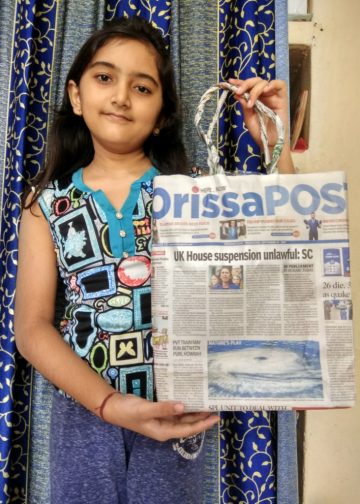
#MyPaperBagChallenge

Priyasha Pradhan

December 12, 2019
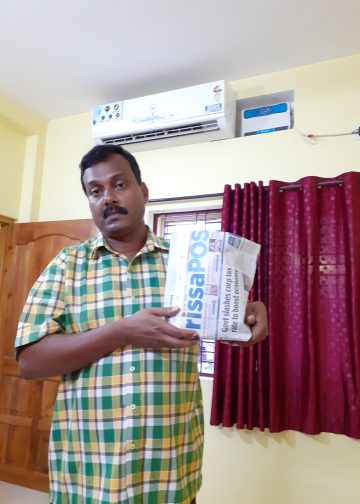
#MyPaperBagChallenge

Geetanjali Patro

December 12, 2019
#MyPaperBagChallenge

Anup Mahapatra

December 12, 2019
#MyPaperBagChallenge

Adyasha Priyadarsani Sendha

December 12, 2019
#MyPaperBagChallenge

Narendra Kumar

December 12, 2019
#MyPaperBagChallenge

Rajashree Pravati Mohanty

December 12, 2019
#MyPaperBagChallenge

Sitakanta Mohanty

December 12, 2019
#MyPaperBagChallenge

Priyabrata Mohanty

December 12, 2019
#MyPaperBagChallenge

Pragyan Priyambada

December 12, 2019
#MyPaperBagChallenge

Amritansh Mishra

December 12, 2019
#MyPaperBagChallenge

Adweeti Bhattacharya

December 12, 2019
#MyPaperBagChallenge

Rajashree Manasa Mohanty

December 12, 2019
#MyPaperBagChallenge

Mrutyunjaya Behera

December 12, 2019
#MyPaperBagChallenge

Kamana Singh

December 12, 2019
#MyPaperBagChallenge

Debasis Mohanty

December 12, 2019
#MyPaperBagChallenge

Akriti Negi

December 12, 2019
#MyPaperBagChallenge

Sarmistha Nayak

December 12, 2019
#MyPaperBagChallenge

Mandakini Dakua

December 12, 2019
#MyPaperBagChallenge

Anasuya Sahoo

December 12, 2019
#MyPaperBagChallenge

Surya Sidhant Rath

December 12, 2019
#MyPaperBagChallenge

Aman Kumar Barisal

December 12, 2019
#MyPaperBagChallenge

Sisirkumar Maharana

December 12, 2019
#MyPaperBagChallenge

Parbati Mohanty

December 12, 2019
#MyPaperBagChallenge

Sipra Mishra

December 12, 2019
#MyPaperBagChallenge

Nishikant Rout

December 12, 2019
#MyPaperBagChallenge

Tabish Maaz

December 12, 2019
#MyPaperBagChallenge

Diptiranjan Biswal

December 12, 2019
#MyPaperBagChallenge

Faiza Firdous

December 12, 2019
#MyPaperBagChallenge

Pratik Kumar

December 12, 2019
#MyPaperBagChallenge

Shreyanshu Bal

December 12, 2019

Archives

Editorial

Trump Trapped

Donald Trump
April 1, 2026

It is the fifth week running since US President Donald Trump and Israeli Prime Minister Benjamin Netanyahu launched the war...

Read moreDetails

Not Forgetting Myanmar

March 31, 2026

While a big war is being waged in the Middle East, global attention has moved away from another theatre of...

Read moreDetails

Fuel Politics

Fuel Politics
March 30, 2026

Fuel has been a long-time great economic and political tool in the hands of the government in India. It enables...

Read moreDetails

Selective Outrage

Aakar Patel
March 29, 2026

Consider this thought experiment. Imagine that two large missiles struck the White House. The first hit the residential quarters at...

Read moreDetails
  • Home
  • State
  • Metro
  • National
  • International
  • Business
  • Editorial
  • Opinion
  • Sports
  • About Us
  • Advertise
  • Contact Us
  • Jobs
Developed By Ratna Technology

© 2025 All rights Reserved by OrissaPOST

  • News in Odia
  • Orissa POST Epaper
  • Video
  • Home
  • Trending
  • Metro
  • State
  • Odisha Special
  • National
  • International
  • Sports
  • Business
  • Editorial
  • Entertainment
  • Horoscope
  • Careers
  • Feature
  • Today’s Pic
  • Opinion
  • Sci-Tech
  • About Us
  • Contact Us
  • Jobs

© 2025 All rights Reserved by OrissaPOST

    • News in Odia
    • Orissa POST Epaper
    • Video
    • Home
    • Trending
    • Metro
    • State
    • Odisha Special
    • National
    • International
    • Sports
    • Business
    • Editorial
    • Entertainment
    • Horoscope
    • Careers
    • Feature
    • Today’s Pic
    • Opinion
    • Sci-Tech
    • About Us
    • Contact Us
    • Jobs

    © 2025 All rights Reserved by OrissaPOST