Odisha News, Odisha Latest news, Odisha Daily - OrissaPOST
  • Home
  • Trending
  • State
  • Metro
  • National
  • International
  • Business
  • Feature
  • Entertainment
  • Sports
  • More..
    • Odisha Special
    • Editorial
    • Opinion
    • Careers
    • Sci-Tech
    • Timeout
    • Horoscope
    • Today’s Pic
  • Video
  • Epaper
  • News in Odia
  • Home
  • Trending
  • State
  • Metro
  • National
  • International
  • Business
  • Feature
  • Entertainment
  • Sports
  • More..
    • Odisha Special
    • Editorial
    • Opinion
    • Careers
    • Sci-Tech
    • Timeout
    • Horoscope
    • Today’s Pic
  • Video
  • Epaper
  • News in Odia
No Result
View All Result
OrissaPOST - Odisha Latest news, English Daily -
No Result
View All Result

Tips for smartphone security

Updated: March 29th, 2019, 07:45 IST
in Feature
0
Share on FacebookShare on TwitterShare on WhatsAppShare on Linkedin

Your smartphone is even precious than your wallet, keys and in some cases, your actual computer too. But we all have that nagging guiltiness that we do not have ‘enough to protect our smartphone beyond, perhaps, having a four-digit password.

Well, these tips to will help make your smartphone secure.

Also Read

World Environment Day: Rising AC use fuels greenhouse gas emissions

6 days ago
Temperature rise

Think it’s hot now? The next five years will smash records: UN

2 weeks ago

Use a screen lock: Many new phones offer a ‘pattern lock’. However, ensure that the screen is cleaned regularly. If your phone is stolen or lost any finger traces can sometimes be seen and accessed on the screen. Besides, a PIN code offers an alternative and can also save time. Make your password difficult to crack but memorable for you. The best advice on creating secure passwords is to take the initial letters of a line in a song, play or book, and to make a password from those letters.

Use SIM lock: A screen lock is helpful but won’t stop someone removing the SIM card from your phone and using it in another phone. To prevent this, set up a SIM lock in the form of a PIN number that will need to be entered when a phone is turned on in order to connect to a network.

Protect sensitive data: While PIN entry and password locks are helpful, a smartphone is effectively a miniature computer with often easily removable storage. It’s far too easy to retrieve data by simply plugging it into a computer or removing a microSD card.

It’s important to protect sensitive data saved to internal storage. Software is available that can encrypt files or folders so that a code must be entered before a file can be viewed or copied. A lot of this software is free to download and use and can work effectively with your phone to provide automated protection, so there’s little hassle involved once it’s up and running.

Protect Bluetooth use: Bluetooth isn’t generally seen as a risk as it has a relative shot range (10 metres approx). However, hackers have been known to remotely access a phone if they are in range. Ensure that bluetooth is turned off when not in use. Set the bluetooth configuration to ‘non discoverable’, so that people searching for nearby devices can’t see yours.

Internet browsing: Be careful when accessing a web browser on your smartphone as it can be easy to accept messages that pop up. For example agreeing to save user details and passwords might make it easy to remember for later, but unfortunately others can do the same if they gain access to your phone. If any security warning pop up when looking at a website, take note of it and leave the website if needed. Also, ensure any banking or shopping sites where you put in secure information have a padlock in the address bar to ensure that the site is encrypted. For more on shopping safely online, see our guide.

Make sure you always look at the URL and make sure the ‘http’ has a ‘s’ at the end. This ensures that the URL you are about to click on is secure. We also recommend that you check for any spelling mistakes in the URL.

Disable geotagging: Many smartphone social networking apps automatically upload photos to the Internet. The problem with this is that many phones embed location tags, also called “geotags,” right into the photo files themselves. Anyone with the right software can look at your Facebook or Flickr pictures and find out where you have been and where you are right at that very moment.

The geotagging feature can be turned off on most phones which gives you privacy and ensures that you can’t be found by someone you might not wish to be found by.

Remote wipe: In worst case if your phone is lost or stolen, you may want to protect your data by wiping data quickly and remotely. Many operating systems have a range of third-party, dedicated remote wipe applications to choose from. These tend to be subscription services, but prices are usually less than £5 a month.


Tags: Screen lockSIM lockSmartphone security
ShareTweetSendShare
Suggest A Correction

Enter your email to get our daily news in your inbox.


OrissaPOST epaper Sunday POST OrissaPOST epaper

Click Here: Plastic Free Odisha

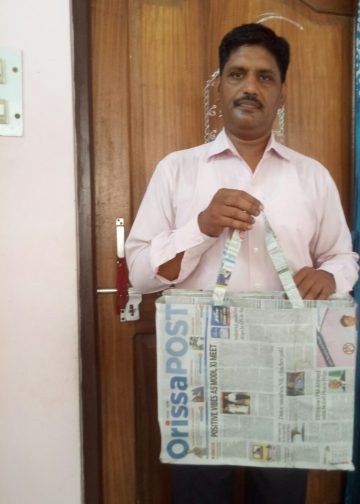
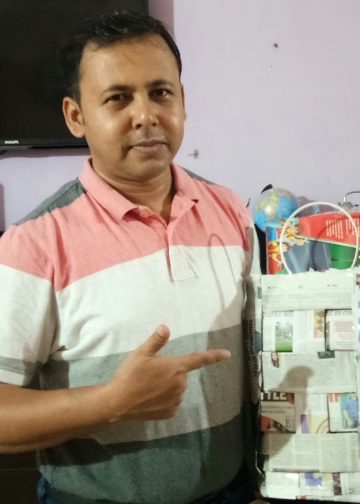
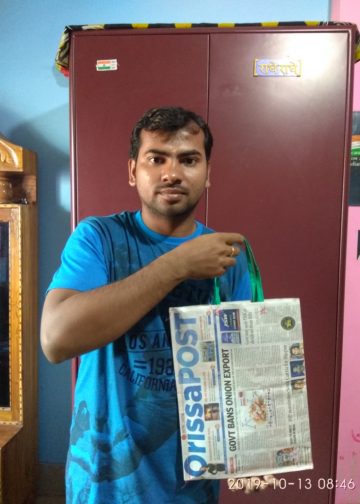
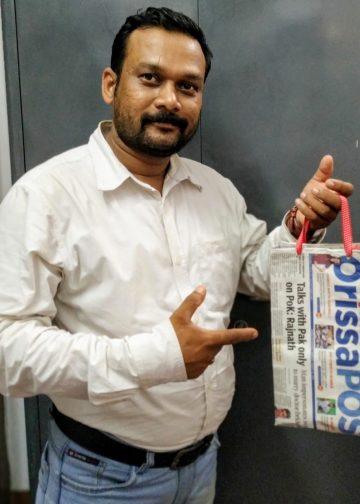
#MyPaperBagChallenge

Mandakini Dakua

December 12, 2019
#MyPaperBagChallenge

Arya Ayushman

December 12, 2019
#MyPaperBagChallenge

Sitakanta Mohanty

December 12, 2019
#MyPaperBagChallenge

Pitabas Tripathy

December 12, 2019
#MyPaperBagChallenge

Sarfraz Ahmad

December 12, 2019
#MyPaperBagChallenge

Amritansh Mishra

December 12, 2019
#MyPaperBagChallenge

Chinmay Kumar Routray

December 12, 2019
#MyPaperBagChallenge

Jhili Jena

December 12, 2019
#MyPaperBagChallenge

Geetanjali Patro

December 12, 2019
#MyPaperBagChallenge

Rajashree Manasa Mohanty

December 12, 2019
#MyPaperBagChallenge

Pratik Kumar Ghibela

December 12, 2019
#MyPaperBagChallenge

Mrutyunjaya Behera

December 12, 2019
?????????????????????????????????????????????????????????????????????????????????????????????????????????????????????????????????
#MyPaperBagChallenge

Dibya Ranjan Das

December 12, 2019
#MyPaperBagChallenge

Ramakanta Sahoo

December 12, 2019
#MyPaperBagChallenge

Sipra Mishra

December 12, 2019
#MyPaperBagChallenge

Manas Samanta

December 12, 2019
#MyPaperBagChallenge

Matrumangal Jena

December 12, 2019
#MyPaperBagChallenge

Pratyasharani Ghibela

December 12, 2019
#MyPaperBagChallenge

Adweeti Bhattacharya

December 12, 2019
#MyPaperBagChallenge

Narendra Kumar

December 12, 2019
#MyPaperBagChallenge

Tapaswini Mallick

December 12, 2019
#MyPaperBagChallenge

Subhajyoti Mohanty

December 12, 2019
#MyPaperBagChallenge

Tabish Maaz

December 12, 2019
#MyPaperBagChallenge

Ipsita

December 12, 2019
#MyPaperBagChallenge

Lopali Pattnaik

December 12, 2019
#MyPaperBagChallenge

Subhajyoti Mohanty

December 12, 2019
#MyPaperBagChallenge

Adrita Bhattacharya

December 12, 2019
#MyPaperBagChallenge

Aman Kumar Barisal

December 12, 2019
#MyPaperBagChallenge

Ankita Balabantray

December 12, 2019
#MyPaperBagChallenge

Bijswajit Pradhan

December 12, 2019

Archives

Editorial

Two-Man Drama

Netanyahu to meet Trump
June 10, 2026

The renewed exchange of missiles between Israel and Iran through June 8-9 is ample evidence of instability continuing in the...

Read moreDetails

Deifying Dollar

Donald Trump
June 9, 2026

US President Donald Trump’s craving for long-lasting fame is well known. It assumed scandalous proportions while he was pursuing the...

Read moreDetails

Ethanol Agenda

June 8, 2026

On World Environment Day, 5 June, India launched E85, that is, petrol blended with 85 per cent ethanol at 48...

Read moreDetails

Longevity Vs Legacy

AAKAR PATEL
June 7, 2026

By Aakar Patel Friend Ram Madhav has written a fine piece on Prime Minister Narendra Modi reaching an important milestone....

Read moreDetails
  • Home
  • State
  • Metro
  • National
  • International
  • Business
  • Editorial
  • Opinion
  • Sports
  • About Us
  • Advertise
  • Contact Us
  • Jobs
Developed By Ratna Technology

© 2025 All rights Reserved by OrissaPOST

  • News in Odia
  • Orissa POST Epaper
  • Video
  • Home
  • Trending
  • Metro
  • State
  • Odisha Special
  • National
  • International
  • Sports
  • Business
  • Editorial
  • Entertainment
  • Horoscope
  • Careers
  • Feature
  • Today’s Pic
  • Opinion
  • Sci-Tech
  • About Us
  • Contact Us
  • Jobs

© 2025 All rights Reserved by OrissaPOST

    • News in Odia
    • Orissa POST Epaper
    • Video
    • Home
    • Trending
    • Metro
    • State
    • Odisha Special
    • National
    • International
    • Sports
    • Business
    • Editorial
    • Entertainment
    • Horoscope
    • Careers
    • Feature
    • Today’s Pic
    • Opinion
    • Sci-Tech
    • About Us
    • Contact Us
    • Jobs

    © 2025 All rights Reserved by OrissaPOST